WhatsApp Business · 9 min read
WhatsApp Business vs WhatsApp Messenger: Which One Should You Use in Nigeria?
Compare WhatsApp Business and regular WhatsApp Messenger, see who should switch, how to use both on one phone, and when the API matters.
By Noah Precious · Published 28 October 2026
Key takeaways
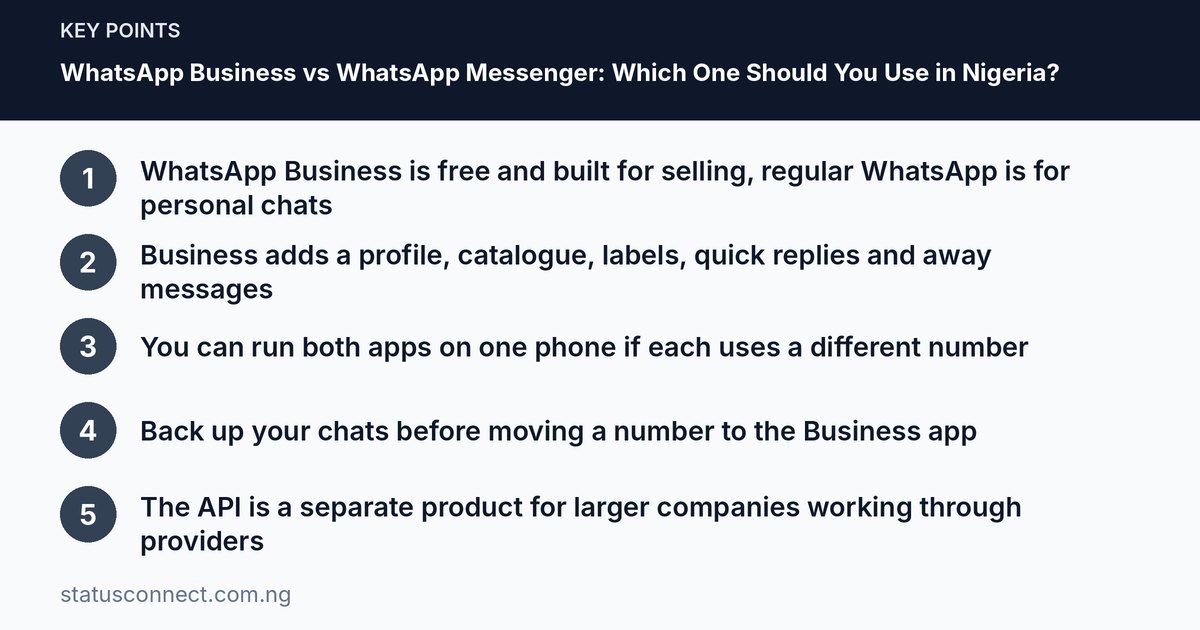
- WhatsApp Business is free and built for selling, regular WhatsApp is for personal chats
- Business adds a profile, catalogue, labels, quick replies and away messages
- You can run both apps on one phone if each uses a different number
- Back up your chats before moving a number to the Business app
- The API is a separate product for larger companies working through providers
Many Nigerians sell on WhatsApp using the same green app they use to chat with family. It works, until the orders grow, the chats pile up and a customer's message gets lost between a wedding photo and a church group. The WhatsApp Business app exists to solve that. This article compares it with regular WhatsApp Messenger in plain terms, so you can decide whether to switch and how to do it without losing anything.
The short answer
WhatsApp Messenger is for everyday personal conversations. The WhatsApp Business app is for anyone who sells products or services and wants to look professional and stay organised. Both are free to download and use for normal chatting. Both let you send messages, voice notes, photos, documents and make calls. The difference lies in the extra tools for businesses and in how you appear to customers.
If you only chat with friends, stay with Messenger. If customers message you for prices, orders, bookings or delivery, the Business app will almost certainly save you time.
What WhatsApp Business adds
Here are the main features that regular WhatsApp does not have, or does not have in the same way. App versions change, and features vary by country, so check what you see on your own phone.
A business profile
Instead of just a name and a photo, you can show a description, category, address, opening hours, email and website or social links. For a customer in Abuja deciding whether to trust a seller they met through a friend, this small profile answers the question, "Is this a real business?" It also makes your number look more credible than a random personal account.
Catalogue
You can list products or services with photos, names, descriptions and prices, so customers can browse inside the chat instead of asking you to resend pictures. Our guide to the WhatsApp Business catalogue explains how to build one properly.
Quick replies
These are saved messages you can call up fast. A vendor in Lagos who answers "How much is delivery to Lekki?" fifty times a week can save the answer once and insert it in seconds. Keep them polite and edit them for each person so you do not sound like a robot.
Greeting and away messages
You can have an automatic welcome for new customers and an automatic reply outside your working hours. This helps when you sleep, when you are in transit or when you are serving someone in the shop. Customers know when to expect a reply, which reduces repeated "Hello?" messages.
Labels
Labels let you tag chats, for example New enquiry, Awaiting payment, Paid, Delivered and Follow up. At the end of the day you filter by label and see who needs attention. This is one of the most useful habits for any seller handling more than a handful of chats.
Basic statistics
The Business app can show simple counts such as messages sent, delivered and read. It is not a full analytics suite, but it helps you see whether your updates and broadcasts are reaching people.
Business-oriented extras
Depending on your version and region, you may also see tools for linking with other platforms, order or payment features in some countries, and verification options. Availability differs, so treat these as extras and rely only on what you actually see in your app. The official WhatsApp Business website lists what is currently offered.
What stays the same
Some things work in both apps:
- Chats are protected with end-to-end encryption for personal messages and calls, the same as in regular WhatsApp.
- Status updates, groups and broadcast lists are available in both.
- Backups and two-step verification are available in both.
- You still need a phone number, and you still receive a verification code by SMS or call.
Because the basics are the same, switching does not require relearning the whole app.
Who should switch to WhatsApp Business
Switching makes sense if you:
- Sell products or services and get customer enquiries daily.
- Are tired of mixing customer chats with personal ones.
- Answer the same questions over and over.
- Want a catalogue, labels or automatic replies.
- Run a small team and need a number that represents the business, not one person's private life.
- Freelance, for example as a designer, tutor, makeup artist or photographer, and want clients to see a proper profile. See our guide for freelancers finding clients on WhatsApp.
You can stay on regular WhatsApp if you rarely sell, only sell to a few close contacts or do not want a business label on your number.
Using both apps on one phone
You can install WhatsApp Messenger and WhatsApp Business on the same phone, but each needs its own phone number. This is the best set-up for many Nigerian sellers:
- Your personal SIM goes on regular WhatsApp.
- A separate SIM, kept only for business, goes on the Business app.
Dual-SIM phones make this easy. Keep both SIMs active by recharging them from time to time, because an expired or recycled SIM can mean losing access to the account. Never share the verification code with anyone who calls or messages you asking for it.
If you only have one number, you can still use the Business app with it, but then that number leaves regular WhatsApp. You cannot have the same number active in both apps at once.
How to move your number to the Business app
If your customers already know your current number, moving it keeps them connected. Take these steps carefully.
- Back up your chats first. Use the backup option in your regular WhatsApp settings. Menu wording varies by phone, so look for chat backup in Settings.
- Install WhatsApp Business from the official store for your phone, and check the publisher is WhatsApp LLC.
- Enter your number and verify it with the code sent by SMS or call.
- Follow the prompts to bring your chats across. The app usually offers to import your chat history and media from the regular app. Read each screen before you accept.
- Set up your profile, greeting, away message and quick replies.
- Switch on two-step verification so that no one else can register your number. Our guide on two-step verification for a business number walks through it.
For a full walk-through with screenshots of each section, read our WhatsApp Business app setup guide for Nigeria. If you later change phones, see how to move WhatsApp chats to a new phone.
A warning: once your number is on the Business app, going back to regular WhatsApp can mean losing some Business-specific data such as your catalogue and labels. Ask yourself whether you are sure before you start.
The Business app and the API: a quick overview
You may hear the term "WhatsApp Business API" or "WhatsApp Business Platform". It is a separate product from the Business app.
- The Business app is the free app you install on a phone. It is made for small businesses where a person or a small team answers messages.
- The API (Platform) is aimed at medium and large organisations, such as banks, delivery companies or online stores with many daily messages. It is usually accessed through a provider, and it supports automation, many agents and links to other systems. Costs and terms depend on the provider and on WhatsApp's pricing rules at the time, so check the official site and ask for written quotes if you ever consider it.
Most small sellers, including those in markets, shops and home-based businesses, need only the free app. If you find yourself handling hundreds of messages daily and needing a whole team on one number, then it may be time to look at the API.
Costs in general
The Business app is free to download and use. You still pay for your own data or Wi-Fi, and for your SIM. Some optional services connected to the platform or offered by third parties may have charges, so read the details before you pay anybody. Be careful of anyone who asks you to pay a "fee" to activate or verify your WhatsApp Business account in the app. Check the WhatsApp Help Centre first, and see our article on spotting WhatsApp scams in Nigeria.
Mistakes to avoid
- Using a personal number everyone has. If a sales number is also your private number, you will get orders at midnight and family chats at noon. Use a dedicated line.
- Skipping the backup. A phone fault or a failed migration can wipe out your customer history.
- Leaving the profile empty. A blank profile wastes the main advantage of the Business app.
- Over-automating. Too many auto-replies feel cold. Use them to start the conversation, then reply as a person.
- Adding people to groups or lists without consent. This can lead to complaints and restrictions. Read what is allowed in WhatsApp marketing.
- Forgetting security. Anyone who gets your code can take your number. Enable two-step verification and be careful with linked devices.
Frequently asked questions
Is WhatsApp Business really free?
The app is free to download and use. You pay for data and your SIM as usual. Separate services, such as the API through a provider, can have costs.
Can I use the same number on both WhatsApp and WhatsApp Business?
Not at the same time. A number is active in only one of the two apps on a phone. To use both apps, use two different numbers.
Will my customers see that I switched?
They will see your business profile and may see a label that shows you are using a business account. Your chats and contacts remain the same once you migrate properly.
Do I lose my old chats if I switch?
You should not if you back up first and follow the in-app prompts. Still, take a backup before you start, as a safety net.
Final thoughts
For personal chatting, regular WhatsApp is perfect. For selling, the Business app gives you a profile, catalogue, quick replies, labels and away messages without any subscription for the app itself. The best set-up for most Nigerian sellers is two numbers on one phone, with each app doing its own job. Switch carefully, back up first and protect the number with two-step verification. Features and policies change from time to time, so check the in-app options and official WhatsApp pages for the latest. Once you are set up, you can grow your network step by step with our guide to growing a small business WhatsApp network in Nigeria.