WhatsApp Business · 7 min read
WhatsApp Business Catalogue, Quick Replies and Labels: Sell Faster and Handle Complaints Well
How to build a WhatsApp Business catalogue that stops the "price?" messages, set up quick replies and labels to save hours, and handle customer complaints so you keep the customer.
By Noah Precious · Published 11 May 2026 · Updated 28 October 2026
Key takeaways
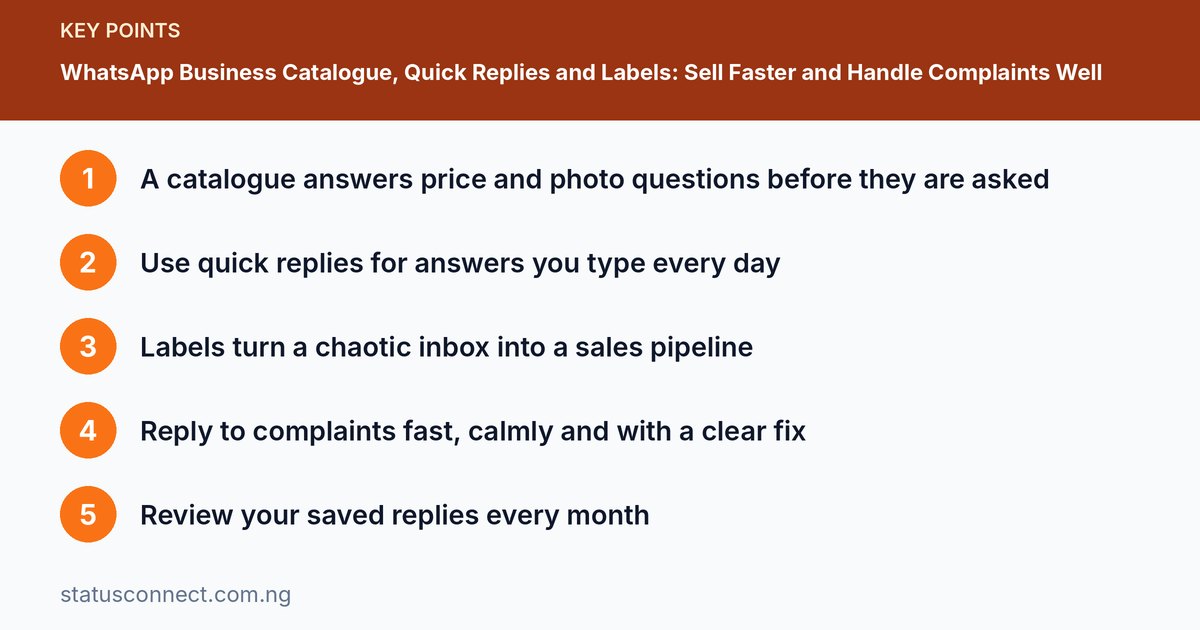
- A catalogue answers price and photo questions before they are asked
- Use quick replies for answers you type every day
- Labels turn a chaotic inbox into a sales pipeline
- Reply to complaints fast, calmly and with a clear fix
- Review your saved replies every month
If you sell on WhatsApp, three habits decide whether you stay organised or drown in messages: showing your products properly, answering common questions in seconds and tracking every conversation. The WhatsApp Business app has free tools for all three, plus a way to handle complaints that keeps customers coming back. This guide explains how to use the catalogue, quick replies and labels, then covers a simple process for dealing with unhappy customers.
Part 1: Build a catalogue that sells
A catalogue is a mini storefront inside your business profile. Customers open it from your chat or your profile and see products with photos, prices and descriptions.
How to add items
Open the Business app, go to Settings, Business tools, Catalogue and tap Add new item. For each product add:
- Clear photos. Up to several per item. Use the lighting and background tips in our product photo guide.
- Name. Be specific: "Women's Ankara skirt, size 10 to 16," not "Skirt."
- Price. Show it. Hidden prices mean more "How much?" messages.
- Description. Materials, sizes, colours, delivery notes.
- Link or code (optional). A product code makes ordering easy: "I want item A12."
Catalogue best practices
- Start small. Ten to twenty of your best sellers beats a messy list of two hundred.
- Group into collections. Such as Shoes, Bags or New Arrivals, so people find things fast.
- Keep it current. Remove sold-out items or mark them unavailable.
- Share it. Send the catalogue link in Status, Instagram bio and on printed materials.
- Check prices often. Nigerian prices move quickly. An outdated price can cause awkward disputes.
Part 2: Quick replies that save hours
A quick reply is a saved message you can insert by typing a slash and a shortcut. Set them up in Settings, Business tools, Quick replies.
Replies every seller needs
- /hello: "Hi, thanks for reaching out to [Business]. What are you looking for today?"
- /price: your most common price list or a link to your catalogue.
- /delivery: areas, usual delivery time, fees and cut-off times.
- /pay: account details and the rule "Please send proof after payment."
- /order: the information you need to take an order: name, phone, address, item, size.
- /thanks: a warm closing message with a request for a review.
Personalise before you send. A message that obviously ignores what the customer asked is worse than typing a fresh reply.
Part 3: Labels that turn chats into a pipeline
Labels let you tag chats with colours and names. Set up a simple flow:
- New enquiry
- Quoted
- Waiting for payment
- Paid
- Delivered
- Follow up
At the end of each day, filter by Waiting for payment and Follow up and send a polite nudge. This habit alone recovers sales you would otherwise forget. Use labels sparingly and keep them consistent so you can scan quickly.
Part 4: Handle complaints without losing the customer
Every business gets complaints. How you respond decides whether the customer returns and what they tell their friends. Customers also share screenshots of bad service in Status and groups.
A five-step process
- Reply quickly. Within the hour if possible. Even "I have seen your message and I am checking now" calms people.
- Listen and confirm. Repeat the problem in your own words: "You received the blue dress instead of the red one. Is that right?" Do not argue.
- Apologise sincerely. Say sorry for the inconvenience without making excuses.
- Offer a clear fix. Replace, refund, repair or discount, with a time. Be specific: "I will send the correct item tomorrow by 2pm."
- Follow up. After the fix, check they are satisfied and thank them for giving you a chance.
Things to avoid
- Deleting messages or blocking the customer.
- Blaming the rider or the supplier in front of the customer.
- Promising what you cannot deliver.
- Replying while angry. Take a breath, then type.
Keep screenshots of the order and delivery for your records. If a customer threatens a chargeback or a public review, stay professional and move the conversation to a calm place.
Writing catalogue descriptions that answer questions
The description field is where many sellers waste space. Instead of "Nice bag, good quality," tell the buyer what they would otherwise have to ask. A useful pattern is: what it is, what it is made of, the sizes or colours, how many are in stock and how delivery works. For example: "Leather crossbody bag, brown or black, 25 cm wide, fits a small tablet. Delivery within Lagos in two days." Every detail you include removes a message from your inbox.
For more on this skill, read how to write product descriptions that sell. If you are unsure how to set the numbers themselves, see pricing products on WhatsApp in Nigeria.
A simple weekly catalogue routine
Pick one day each week for maintenance. Remove sold-out products, check that every price still matches your records, replace weak photos with better ones and add any new arrivals. Then reread your quick replies and fix anything out of date, such as delivery fees or bank details. Finally, scan your labelled chats and send a polite nudge to anyone waiting too long. Fifteen minutes of regular upkeep prevents most of the awkward situations that come from outdated information, and it keeps your business looking active and trustworthy.
Quick replies that go wrong
Quick replies save time, but they can backfire. Avoid sending a long block of text as your first answer, because it feels like a robot. Do not leave bracketed placeholders such as [name] in a message by mistake. Be careful with payment details: double-check account numbers each time you edit a reply, and never paste details you are unsure of. Also resist using the same closing line for every complaint. A customer who has a real problem wants to feel heard, so add one personal sentence before the saved text.
Photos, hours and honesty
A catalogue is a promise. If your photos show a product that looks different in real life, the complaints will follow. If your hours say you reply until 8pm, reply until 8pm. Make sure that what the customer sees is what the customer gets. This one habit does more for your reputation than any clever caption, and it makes every later complaint easier to handle.
Frequently asked questions
How many products should I put in my catalogue?
Start with your ten to twenty best sellers. You can add more later, but a short, accurate catalogue is better than a long, outdated one.
Can customers pay inside the catalogue?
Treat the catalogue as a display and ordering aid. Payment options depend on your region and the app features available, so confirm payments through a secure method and follow our guide on accepting payments safely.
What if my price changes often?
Update the catalogue each time, and mention in your quick reply that prices are confirmed at the time of order. This prevents disagreements when customers screenshot old prices.
Should I label every chat?
Label every chat that involves a possible order. Casual chats do not need labels. If you try to label everything you will stop doing it.
Part 5: Review and improve
Once a month, read through your last thirty chats and note the five most repeated questions. Add a quick reply for each, update your catalogue to answer them and adjust your Status. If many customers ask "Do you deliver to Port Harcourt?" put the answer in the catalogue description and greeting.
How this fits your wider setup
These tools work best alongside a proper profile, greeting messages and security settings. Start with our WhatsApp Business setup guide, keep payments safe with our guide to accepting payments on WhatsApp in Nigeria and read the official WhatsApp Business features page for current options.